Quick Start Guide for the Giveaway App
Giveaway is a great way to generate customer participation through social media, email newsletters, your RenMind Wire landing page, and much more. Generate conversation and encourage participation among potential and returning customers. Start with a contest, share the link, and capture marketing leads instantly.
Start with creating a contest, share the link, and capture marketing leads instantly… It’s that easy. We’re going to help you get started with a quick intro on the interface. If you need more detailed information on a specific feature, there will be links for each one.
Overview of Program Areas
Contests
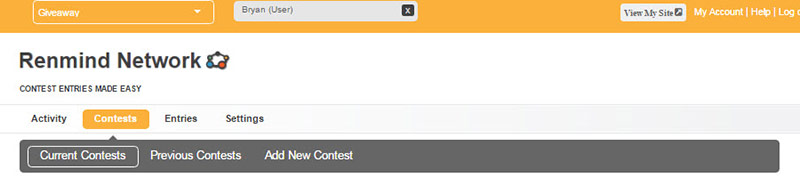
This is the app feature that allows you to manage your contests. It’s split up into three main parts:
- Current Contests – This area allows you to see all of the contests you’ve created. It gives you all the options you need to see start and end dates, the number of entries and the contest’s status. You can set your default contest that will show up on your RenMind Network landing page too. It also allows you to View the contest, see Entries and Edit each contest.
- Previous Contests – This feature has the same look and feel as the Current Contests page. The only difference is that it shows you contests that are past its End Date. You can view past entries and Edit them, which is a handy way to copy content from previously successful campaigns.
- Add New Contest – Adding a contest is easy too. Set a Contest Type, Name, and the Start and End Date. It will give you the Contest’s URL, which will take you to its individual landing page. All that’s left is to draft content for your contest Details and the Rules. You can also save both the Details and Rules in the Settings area to be reused repeatedly (link to more information below at the end of this article). Just Save your new contest and it will show up as active and automatically live to promote.
Entries
This is where you can view all of your past and current Contest Entries. You can filter by the specific contest by choosing from the Select dropdown. You can view First and Last Name, Email Address, the Contest Name, and even the Answers to your Multiple Choice and Open Questions. You can even see if they got the answer correct. An important feature is that it allows you to download a .csv document that will give you details about contestants (More information on CSVs below.
Settings
The Settings area lets you set default Rules and Thank You Page Content that will be saved each time you make a New Contest. Here’s some more on these two features:
- Setting Rules will save you a lot of time when you get rolling on creating your own contests. Rules can be specific to local regulations but we will help you set a standard set of content that will generally work. It is necessary to fill this area in. Some examples can be found on the Settings Area and the Setting Rule tutorials (links for both are below).
- Thank You Page Content is for setting a standard response each time someone enters one of your contests. After entering, this thank you will be automatically generated. This is your opportunity to say thanks for participating and confirming that they’ve been entered in the contest.
Using Giveaway is that easy! We have a lot more material on this app and more in the Knowledge Base. For more information on any specific Giveaway areas click one of the links above. Thanks for reading and if you have any feedback, leave it here.
Related Content